





































What is the Cyber Essentials checklist?
The Cyber Essentials checklist is a practical, pre-application list of the configurations, evidence and decisions a UK organisation needs in place before completing the self-assessment questionnaire (SAQ). It covers scope, the five control areas, cloud services, multi-factor authentication, patching and the additional checks that apply to Cyber Essentials Plus.
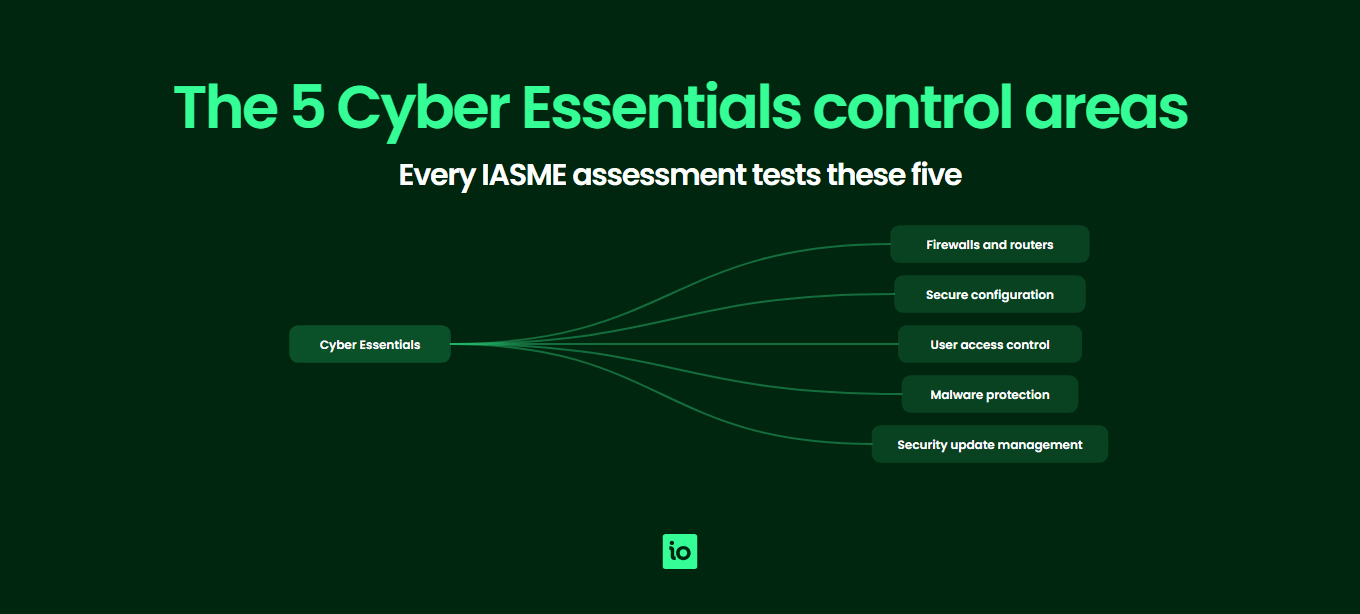
Cyber Essentials is a UK government-backed certification scheme administered by IASME on behalf of the National Cyber Security Centre. The scheme tests whether your firewalls, devices, accounts, malware defences and software updates are configured to a defensible baseline. The checklist below walks through every check most applicants face, so you can fix gaps before submitting rather than after a failed assessment. For the full scheme background, see our Cyber Essentials hub; for the control detail behind each line item, see Cyber Essentials requirements.
Work through each section in order. Tick off the items you already meet, list the gaps as actions with an owner and a due date, and only book your assessment once every line is either complete or has a documented exception. Customers using ISMS.online capture every item below as a tracked control with linked evidence, so the same checklist drives the annual renewal cycle as well as the first certification.
How do you scope a Cyber Essentials project?
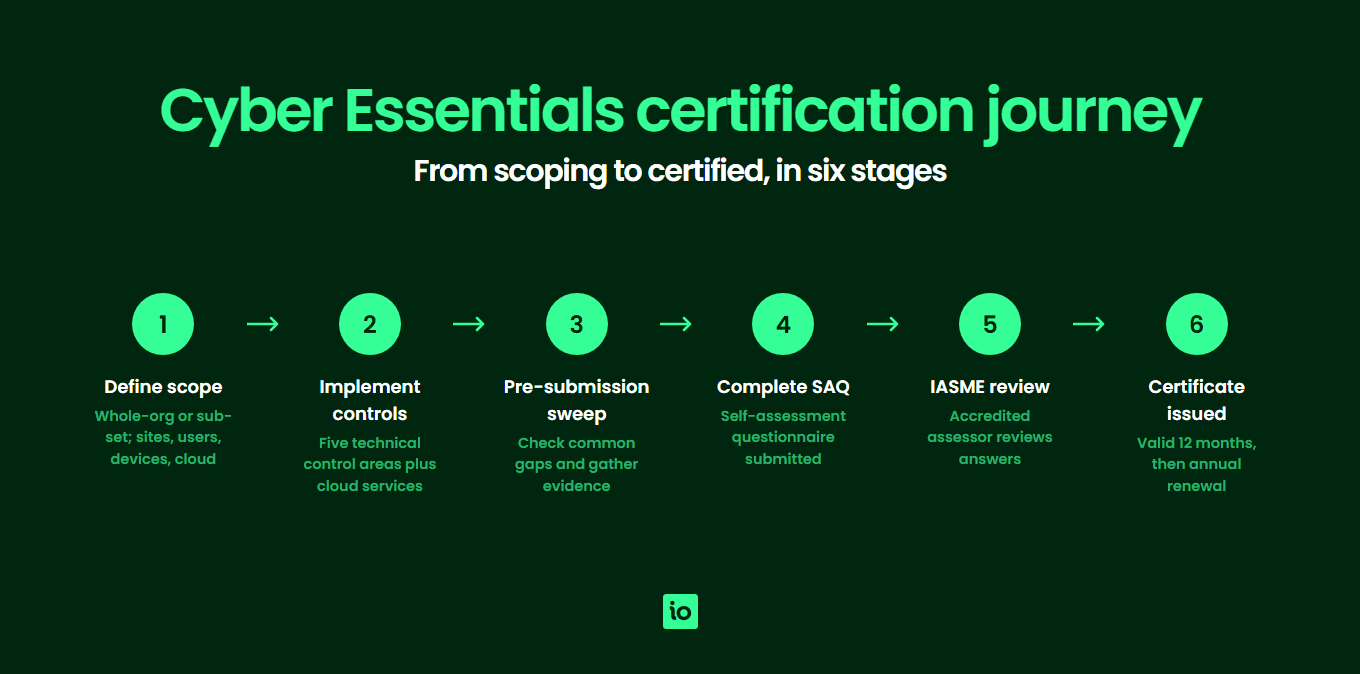
Before you touch any technical control, you need to know what is in scope. Scope is the single most important decision in a Cyber Essentials project, and changing it later costs time and money.
- Decide on whole-organisation scope or a clearly defined sub-set (named department, business unit or environment).
- List every site and home worker location where in-scope work takes place.
- Document the networks that connect in-scope devices: corporate LANs, Wi‑Fi, VPNs and any cellular data use.
- Inventory every in-scope user account (employees, contractors, third parties with access).
- Inventory every in-scope device: laptops, desktops, servers, mobile phones, tablets, network devices.
- List every cloud service used to process or store organisational data (SaaS, PaaS, IaaS).
- Identify any BYOD (bring-your-own-device) arrangements and confirm whether those devices are in scope.
- Confirm a clear technical boundary between in-scope and out-of-scope environments (separate network, directory or tenant) if you are using sub-set scope.
- Record your scope description in writing and have it approved by an owner with authority over the in-scope estate.
If scope keeps growing as you discover more devices, more cloud apps or more shadow IT, that is the discovery the scheme is designed to surface. Better to find it now than during the assessment.
How do you configure firewalls and routers?
Every device that connects to the internet, plus the network boundary itself, must sit behind a correctly configured firewall (or equivalent network device).
- Every internet-facing firewall and router has its default administrative password changed to a strong, unique alternative.
- Unauthenticated inbound connections are blocked by default.
- Every inbound firewall rule that permits a service has a documented business case and an owner.
- Inbound rules that are no longer needed have been removed.
- Host-based (software) firewalls are enabled on laptops and other devices used outside the corporate network.
- Remote administrative access to firewalls from the internet is either disabled or protected by multi-factor authentication or an IP allow list, with a documented business need.
- Home workers either use ISP routers whose default admin password has been changed, or rely on the corporate laptop’s own host-based firewall.
Evidence to gather: firewall vendor and version, screenshots or attestations confirming the admin password change, a list of inbound rules with their justification, and confirmation that host firewalls are switched on across the device estate.
What does secure configuration require?
Secure configuration removes the weaknesses devices and software ship with by default: unused accounts, sample passwords, demo content and overly permissive sharing.
- User accounts and software you do not need have been removed or disabled (bloatware, default admin accounts, dormant user accounts).
- Default or guessable passwords on devices, accounts and services have been changed.
- Auto-run features that execute code from removable media are disabled.
- Users must authenticate before accessing any organisational data or services.
- Multi-factor authentication (MFA) is enforced on all administrative accounts for every cloud service.
- MFA is enabled for standard cloud users wherever the platform supports it.
- A compliant password policy is in place — at least 12 characters, or at least 8 characters with MFA, or at least 8 characters plus automatic blocking of common passwords — with throttling or lock-out to resist brute-force attempts.
- SMS-only MFA has been replaced (or supplemented) with authenticator apps or hardware tokens where feasible.
- Wi‑Fi guest networks are isolated from the corporate LAN.
This is the control area where most organisations find the largest amount of unexpected work, so start it early in your project. Match the checks here back to your Cyber Essentials self-assessment answers before submission.
How does user access control work in practice?
User access control limits who can do what on your systems and makes sure accounts are removed when people leave.
- A documented user account creation and approval process exists, and is followed.
- Users authenticate with strong, unique credentials before accessing in-scope systems.
- A joiner/mover/leaver procedure removes or disables accounts promptly when people change role or leave.
- Multi-factor authentication is enforced on cloud services for all users where the platform supports it, and unconditionally for all administrative accounts.
- Administrative accounts are separate from day-to-day user accounts; admins do not browse the web or read email using their privileged account.
- The list of users with administrative privileges has been reviewed in the last 12 months and any unjustified rights have been removed.
- Shared accounts (where they exist) are documented, justified, MFA-protected and have an owner.
Evidence to gather: the joiner/mover/leaver procedure, a list of administrative users with the business case for each, MFA configuration screenshots from your main cloud platforms, and a sample of recently disabled leaver accounts.

Free yourself from a mountain of spreadsheets
Embed, expand and scale your compliance, without the mess. IO gives you the resilience and confidence to grow securely.
How should malware protection be set up?
Every in-scope device must be defended against malicious code using anti-malware software, application allow listing, or sandboxing.
- One of the three approved mechanisms (anti-malware, application allow listing, or sandboxing) is in place on every in-scope device.
- Anti-malware definitions and engines are updated automatically.
- Anti-malware is configured to scan files on access and to scan web pages.
- Connections to known malicious websites are blocked where the anti-malware product offers that feature.
- If application allow listing is used, an approved list exists and prevents any other applications from running.
- If sandboxing is used (iOS, Android, certain managed Windows builds), each application runs in its own sandbox.
- Mobile devices install apps only from the official stores (Apple App Store, Google Play) or a managed enterprise store.
- Any unmanaged BYOD devices have been either brought under MDM or removed from scope.
The most common gap here is an employee personal Mac used for work email with no enrolment and no visibility for IT. Either enrol the device in management or stop using it for work.
How does security update management work?
All in-scope software must be supported, licensed and patched. End-of-life operating systems, browsers, plugins, firmware and applications will fail the assessment outright.
- Every operating system on in-scope devices is licensed and still receives vendor security updates.
- Every application on in-scope devices is licensed and still receives vendor security updates.
- Firmware on routers, firewalls, switches and access points is still receiving vendor updates.
- Browser plug-ins and extensions are licensed and current.
- Automatic updates are enabled wherever the vendor offers them.
- High and critical severity security updates are installed within 14 days of release (the 14-day rule).
- Monthly server maintenance windows have been reviewed to make sure they do not breach the 14-day patch window.
- An inventory of software and firmware versions exists, so you can see at a glance what is in scope and what state it is in.
Missing the 14-day patch window is the single most common reason organisations fail Cyber Essentials Plus. Build patch tracking into your monthly compliance cycle.
How do cloud services fit the checklist?
Cloud services that process or store organisational data are in scope. The shared responsibility for each control depends on the service model.
- Every SaaS application (Microsoft 365, Google Workspace, Salesforce, Xero etc.) used by the organisation is listed in your asset inventory.
- Every PaaS environment (App Service, App Runner, Heroku etc.) is listed and the application layer is patched.
- Every IaaS host (EC2, Azure VM, Compute Engine) is treated as if it were an on-premise server, with patching, malware and host firewalls in your control.
- MFA is enforced on every cloud administrative account, without exception.
- MFA is enabled for standard users on cloud services where the platform supports it.
- Tenant security defaults (Microsoft 365 Security Defaults, Google Workspace security settings, AWS guardrails) have been reviewed and tightened where appropriate.
- Cloud admin accounts are separate from day-to-day user accounts.
- Shadow IT (SaaS apps signed up for by individuals on a corporate card or domain) has been reviewed and either brought into scope or decommissioned.

Get started easily with a personal product demo
One of our onboarding specialists will walk you through our platform to help you get started with confidence.
How do you prepare for Cyber Essentials Plus?
Cyber Essentials Plus adds an independent technical audit on top of the self-assessment. The assessor will sample your devices, run vulnerability scans and test that the controls you have attested to actually work. Most failures at Plus are predictable; use this checklist to avoid them.
- Your self-assessment answers reflect the live state of the environment, not an aspirational future state.
- A representative sample of devices is patched within the 14-day window today, not three months ago.
- Anti-malware is active and reporting on every sampled device.
- MFA on cloud accounts has been verified by logging in from a fresh browser session, not by checking a policy page.
- Email and web filtering is configured to block known malicious links and attachments.
- USB and removable media handling matches your documented policy on the sample devices.
- The audit window dates are booked far enough out that you can act on any pre-audit gap analysis.
- You have nominated someone to be the technical point of contact during the audit, with admin access ready.
- You have backed up any sample devices before they are tested, in case anything is changed during the audit.
See the technical scope in Cyber Essentials Plus requirements for the exact tests assessors run, and our Cyber Essentials cost page for the typical Plus pricing range.
What are the most common gaps before submitting?
Even applicants with mature security operations get caught by the same handful of gaps. Run this short pre-submission sweep:
- An ISP-supplied router at a home worker’s house still has its default admin password.
- A long-serving employee has accumulated administrative rights from previous roles.
- A finance shared mailbox or social media login has no MFA and no documented owner.
- An unsupported version of Windows or a legacy browser is still on at least one in-scope device.
- A monthly server maintenance schedule has slipped a critical patch past the 14-day window.
- A BYOD personal phone reads corporate email outside any MDM.
- A SaaS application that holds customer data was signed up for on a personal card and never inventoried.
- A guest Wi‑Fi network shares the same broadcast domain as the corporate LAN.
Track each finding as an action with an owner and a due date. Once the list is clear, you are ready to submit. If you are sizing the work for the first time, our guide to how long Cyber Essentials takes sets realistic expectations.
Cyber Essentials checklist summary table
| Section | Focus | Typical evidence |
|---|---|---|
| Scoping | Decide whole-org vs sub-set; inventory sites, users, devices, networks, cloud services and BYOD. | Written scope statement, asset inventory, sub-set boundary description. |
| Firewalls and routers | Default passwords changed; inbound rules documented; host firewalls on; remote admin protected. | Firewall version, password-change attestation, rule list, host firewall coverage. |
| Secure configuration | Bloatware removed; default passwords changed; MFA on cloud admin; password length 12 or 8+MFA. | Build standard, MFA enforcement policy, password policy, sample device screenshots. |
| User access control | Joiner/leaver process; admin separation; annual admin review; MFA for all cloud users. | JML procedure, admin user list, MFA configuration evidence, leaver disablement sample. |
| Malware protection | Anti-malware, allow listing or sandboxing on every device; mobile apps from official stores. | Endpoint coverage report, mobile app source policy, MDM enrolment record. |
| Security update management | All software supported and licensed; high/critical patches within 14 days; firmware covered. | Software inventory with vendor support status, patch deployment report, EOL replacement plan. |
| Cloud services | SaaS, PaaS and IaaS inventoried; MFA on admin; tenant defaults reviewed; shadow IT removed. | Cloud asset register, MFA evidence, security defaults attestation, shadow IT review. |
| Plus readiness | Live-state verification; sample-device patch state; MFA verified by login; audit logistics booked. | Pre-audit gap analysis, sample patch report, MFA verification log, audit booking confirmation. |
If you are weighing Cyber Essentials against broader frameworks, our Cyber Essentials vs ISO 27001 guide explains where each fits, and many UK organisations who certify to Cyber Essentials then progress to ISO 27001 or SOC 2 as customer demands grow.
Why Choose ISMS.online for Cyber Essentials?
- Pre-mapped checklist — Every line of this checklist already exists as a tracked control in ISMS.online, so you assess against the full scheme without rebuilding it from scratch.
- Evidence in one place — Attach screenshots, configuration exports and joiner/leaver records to each control once, then reuse them for renewals, Plus audits and other frameworks.
- Scope and asset register — Capture in-scope users, devices, networks and cloud services in a structured register so the scope boundary is documented and auditable.
- Gap-to-action tracking — Every gap on the checklist becomes an assigned action with an owner and a due date, so nothing slips between identifying it and fixing it.
- Renewal-ready — The platform keeps your evidence current between annual cycles, so the next certificate is a refresh, not a restart.
- Multi-framework leverage — Cyber Essentials evidence in ISMS.online also feeds ISO 27001, SOC 2 and NIS 2 work, which is why customers progressing beyond Cyber Essentials stay on the platform.
- Trusted by thousands of organisations — ISMS.online supports companies of every size on their compliance journey, from first-time Cyber Essentials applicants to global multi-certification groups.
FAQs
Is there an official Cyber Essentials checklist?
IASME publishes the official self-assessment questionnaire (SAQ), which is effectively the assessor’s checklist. The readiness checklist on this page mirrors the same five control areas and adds the scope, cloud and Plus checks most applicants need before they reach the SAQ. Working through it first makes the SAQ a confirmation exercise rather than a discovery exercise.
How long does it take to work through the Cyber Essentials checklist?
For a small organisation with mature IT, the checklist itself takes a couple of days to walk through and complete the evidence-gathering. The gaps it surfaces are what take time: MFA rollouts, patching catch-up and BYOD decisions can each take several weeks. Most applicants budget four to twelve weeks from starting the checklist to submitting the SAQ.
Do I need a different checklist for Cyber Essentials Plus?
The five control areas are identical, but Plus adds technical audit checks: vulnerability scans, sample device testing, MFA verification by live login and email/web filtering tests. The Plus readiness section of this checklist covers the additional checks. The fastest route to Plus is to certify to Cyber Essentials first, fix anything that surfaced, then book Plus within the 3-month window after.
What is the most common reason organisations fail the checklist?
Two issues dominate: end-of-life software still in use on at least one in-scope device, and missed patches outside the 14-day window. Both are easy to fix once they are surfaced, but both can also stop an assessment in its tracks if discovered during the audit rather than during the readiness checklist.
Does the checklist apply to home workers and BYOD?
Yes. Any device used to access organisational data or services is in scope, including home laptops and personal phones used for work email. Devices used solely for voice calls, text messages or two-factor authentication are out of scope. Corporate laptops used at home must have their own host-based firewall enabled and treat the home network as hostile.
How does the checklist evolve from year to year?
IASME refreshes the question set roughly annually. Recent updates have firmed up multi-factor authentication expectations for cloud services, clarified SaaS, PaaS and IaaS responsibilities, recognised passwordless and biometric authentication, and explicitly extended the 14-day patch window to firmware. The structure of the five control areas stays stable; the detail tightens with each refresh.






