





































What does Cyber Essentials actually require?
Cyber Essentials is a UK government-backed scheme, administered by IASME on behalf of the National Cyber Security Centre (NCSC). It defines five technical control areas that, when correctly implemented, are designed to stop around 80% of the most common internet-based cyber attacks. The Cyber Essentials hub explains the scheme at a high level; this page goes into what the scheme actually demands of your environment.
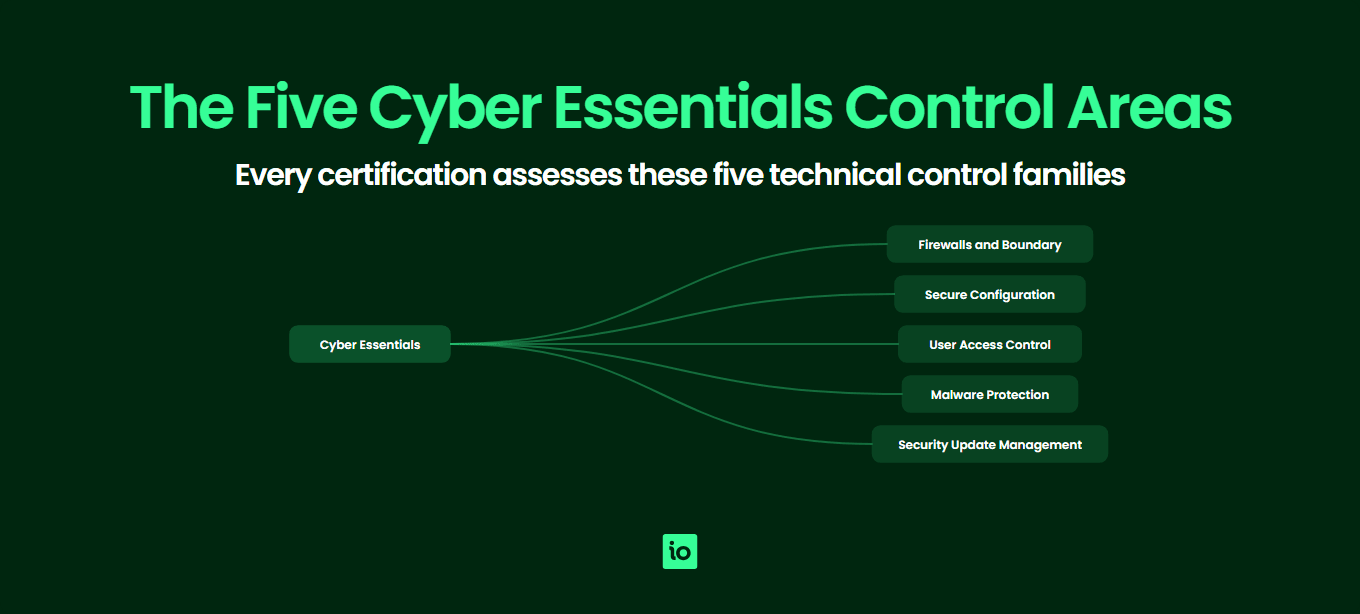
The requirements are deliberately practical. Rather than asking you to write policies, the scheme tests whether your firewalls, devices, accounts, malware defences and software updates are configured to a defensible baseline. Every certification cycle, your ISMS.online customers and other applicants complete a self-assessment questionnaire (SAQ) confirming the controls are in place across the entire scope. For Cyber Essentials Plus, an independent assessor verifies the same controls through hands-on technical testing — see our Cyber Essentials Plus requirements guide for the testing detail. For the practical line-by-line readiness companion to these requirements, see our Cyber Essentials checklist.
The five control areas are firewalls and routers, secure configuration, user access control, malware protection, and security update management. The current question set, refreshed annually with the 2026 update pulling in stronger cloud and multi-factor authentication expectations, applies the same five controls to laptops, desktops, servers, mobile devices, network equipment and cloud services that are in scope.
What are the requirements for firewalls and routers?
Firewalls sit at the boundary between your trusted internal network and the untrusted internet. The control area requires every device that connects to the internet, plus the network boundary itself, to be protected by a correctly configured firewall (or equivalent network device).
Specifically the scheme expects you to:
- Change the default administrative password on every internet-facing firewall or router to a strong, unique alternative
- Block unauthenticated inbound connections by default
- Document and approve any inbound firewall rules that allow services through, with a documented business case
- Remove or disable inbound rules that are no longer needed
- Use a software firewall on devices used outside the corporate network (laptops at home, on hotel Wi‑Fi or in a coffee shop)
- Disable remote administrative access to the firewall from the internet, unless protected by MFA or an IP allow list and a documented business need
The most common gaps assessors flag here are home workers whose ISP-supplied router still has the default admin password printed on the back, and SaaS-heavy organisations who assume they have no firewalls in scope when in fact every employee laptop needs the host-based firewall enabled.
Evidence the assessor will ask for typically includes a screenshot or attestation showing the firewall version and admin password change, a list of inbound rules with their business justification, and confirmation that host-based firewalls are switched on across the device estate.
What does secure configuration mean in practice?
Secure configuration is about removing the security weaknesses that come baked into devices and software out of the box: default accounts, sample passwords, unnecessary services, demo content and overly permissive sharing settings. Every device, server and cloud service in scope must be configured to minimise exposure before it is put into use.
To meet this control area you must:
- Remove or disable user accounts and software you do not need (including pre-installed bloatware, unused user accounts and default admin accounts where possible)
- Change any default or guessable passwords on devices, accounts and services
- Disable auto-run features that automatically execute code from removable media
- Require users to authenticate before granting access to any organisational data or services
- Apply multi-factor authentication (MFA) to all administrative accounts on cloud services, and to all standard users where the cloud service supports it
- Use a compliant password policy — at least 12 characters, or at least 8 characters with MFA, or at least 8 characters plus automatic blocking of common passwords — and protect accounts against brute-force attempts with throttling or lock-out
The 2026 question set has firmed up MFA expectations, particularly for cloud services. If your organisation uses Microsoft 365, Google Workspace, AWS, Azure or any other cloud platform, MFA on every administrative account is now non-negotiable and assessors will expect to see proof.
Common gaps include legacy domain admin accounts without MFA, shared service accounts with static passwords stored in spreadsheets, and Wi‑Fi guest networks bridged onto the corporate LAN. Run through your Cyber Essentials self-assessment with secure configuration in mind early in your project — it is the control area where most organisations find unexpected work.
How does user access control work under Cyber Essentials?
This control area limits who can do what on your systems. Cyber Essentials wants to be sure that user accounts are only created with approval, that administrative privileges are scarce, and that accounts are removed when people leave.
The specific requirements are:
- Have a documented user account creation and approval process
- Authenticate users with strong, unique credentials before granting access
- Remove or disable user accounts when no longer required (joiners, movers, leavers process)
- Implement multi-factor authentication on cloud services for all users where the platform supports it, and unconditionally for all administrative accounts
- Separate administrative accounts from day-to-day user accounts — administrators must not browse the web or read email using their privileged account
- Review which users have administrative privileges at least annually and remove any that are no longer justified
Evidence assessors typically request: your joiner/mover/leaver procedure, a list of administrative users with the business case for each, MFA configuration screenshots from your main cloud platforms and a sample of recently disabled leaver accounts.
The classic gap is the long-serving employee whose role has changed three times and who still has admin rights inherited from a previous job. The other big one is shared logins for finance, marketing or social media tools — the scheme does not forbid all shared accounts, but expects them to be tightly justified, MFA-protected and tracked.

Free yourself from a mountain of spreadsheets
Embed, expand and scale your compliance, without the mess. IO gives you the resilience and confidence to grow securely.
How do malware protection requirements work?
Malware protection requires every in-scope device to be defended against malicious code using at least one of three approved approaches: anti-malware software, application allow listing, or sandboxing. Most organisations meet the requirement using the built-in anti-malware on their operating systems (Microsoft Defender on Windows, XProtect on macOS) supplemented by an EDR product on higher-risk devices.
To pass, you must:
- Use one of the three approved mechanisms on every in-scope device (anti-malware, application allow listing, or sandboxing)
- Keep anti-malware software updated, ideally automatically, so signatures and engines are current
- Configure anti-malware to scan files on access and to scan web pages
- Block connections to known malicious websites where the anti-malware product provides that feature
- If you use application allow listing, maintain an approved list of applications and prevent any others from running
- If you use sandboxing, ensure each application runs in a sandbox and cannot access data from other sandboxed apps without explicit permission
Mobile devices (phones, tablets) are explicitly in scope. iOS and Android both rely on sandboxing as the underlying approach, which is acceptable, but you must only install apps from the official stores (Apple App Store, Google Play, or a managed enterprise store).
The most common gap is unmanaged BYOD devices: an employee’s personal Mac being used for work email, with no enrolment, no centrally enforced anti-malware policy and no visibility for IT. Either bring the device into scope under MDM or move that work onto a managed device.
What does security update management require?
This control area requires all in-scope software to be supported, licensed and patched. The scheme is strict about what counts as “supported”: it must be a version the vendor still publishes security updates for. End-of-life operating systems, browsers, plugins, firmware and applications are not acceptable, and their presence will fail an assessment outright.
The specific requirements are:
- All operating systems and applications on in-scope devices must be licensed and supported by the vendor
- Remove or replace any software the vendor no longer supports with security updates
- Enable automatic updates where the vendor offers them
- Install “high” or “critical” security updates within 14 days of release (the 14-day rule)
- This applies to operating systems, applications, firmware on routers and firewalls, and plug-ins or extensions
The 14-day patch window is the single most common reason organisations fail Cyber Essentials Plus testing. Assessors will scan your devices and flag anything missing a high-severity patch beyond the window. Servers that only get patched during a monthly maintenance window often miss the deadline.
Software in scope means anything used to access organisational data or services. That includes the operating system, productivity suites, browsers, browser extensions, PDF readers, video conferencing tools, password managers and any line-of-business apps. Firmware on routers, firewalls and access points is also in scope.
Summary table: the 5 controls at a glance
The table below summarises the five Cyber Essentials control areas, what each one requires and the gaps assessors most often find.
| Control area | Key requirements | Common gaps |
|---|---|---|
| 1. Firewalls and routers | Change default admin passwords; block unauthenticated inbound traffic; document inbound rules; enable host-based firewalls on roaming devices; protect remote admin access with MFA or IP allow list. | Default passwords on ISP-supplied routers used by home workers; disabled host firewalls on laptops; undocumented or stale inbound rules. |
| 2. Secure configuration | Remove unused accounts and software; change default passwords; disable auto-run; apply MFA on cloud services and all admin accounts; minimum password length of 12 characters. | Legacy admin accounts without MFA; default credentials on network devices; bloatware and unused services on standard builds. |
| 3. User access control | Approved account creation process; remove leavers promptly; separate admin and standard accounts; MFA for all cloud users where supported; annual review of admin privileges. | Admin rights accumulated over time; admins browsing the web with privileged accounts; shared logins without justification. |
| 4. Malware protection | Use anti-malware, application allow listing or sandboxing on every device; keep definitions updated; restrict mobile apps to official stores; scan files on access. | Unmanaged BYOD devices; anti-malware out of date or disabled on servers; allow listing implemented without an approved app list. |
| 5. Security update management | Only run supported, licensed software; remove end-of-life OS, apps and firmware; apply high/critical patches within 14 days; enable automatic updates where possible. | Missed 14-day patch window on servers; legacy Windows or unsupported browsers still in use; out-of-date router firmware. |

Get started easily with a personal product demo
One of our onboarding specialists will walk you through our platform to help you get started with confidence.
How do cloud services fit into the requirements?
Cloud is now treated as an extension of your environment rather than an exception. If your organisation uses a cloud service to process or store organisational data, that service is in scope and you are responsible for configuring it to meet the controls. The scheme distinguishes three cloud service models, with slightly different shared responsibilities for each:
- Software as a Service (SaaS) — e.g. Microsoft 365, Google Workspace, Salesforce, Xero. You are responsible for user access control, secure configuration of accounts and tenant settings, and MFA. The provider handles malware protection on the underlying platform, but you are still responsible for any client-side configuration.
- Platform as a Service (PaaS) — e.g. AWS App Runner, Azure App Service, Heroku. You are additionally responsible for security update management of the application layer you deploy, plus the same secure configuration and access control duties as SaaS.
- Infrastructure as a Service (IaaS) — e.g. AWS EC2, Azure VMs, Google Compute Engine. You are responsible for the operating system, all software running on it, firewalls (security groups), patching, malware and access control. In practice an IaaS server is treated almost identically to an on-premise server.
The most important takeaway: you cannot claim a cloud service is out of scope just because the provider manages the infrastructure. The data in it, and the accounts that access it, are always yours to secure.
How do BYOD and home working apply?
Bring your own device (BYOD) is a frequent point of confusion. The rule is simple: any device used to access your organisation’s data or services is in scope, regardless of who owns it. That includes personal phones used for work email, contractor laptops, and a home PC used to access cloud apps.
There are limited exclusions: devices that only access voice or text messaging (no email, no apps, no documents), and devices used purely for two-factor authentication, are out of scope. In all other cases the device must meet every relevant control: a supported operating system, current patches, anti-malware (or equivalent), a passcode and the ability to be locked or wiped remotely.
Home workers are in scope by default. The standard expectation is that the corporate laptop has its own host-based firewall enabled (not relying on the home router) and that any sensitive cloud admin work is protected by MFA. Home routers themselves are not in scope unless the organisation supplied or configured them, but the corporate device behaves as if it is always on a hostile network.
How do you decide what is in scope vs out of scope?
Scope is the single most important early decision in a Cyber Essentials project. Get it wrong and you either certify too narrow a slice of the business (and the certificate has limited credibility) or you take on too much (and the assessment becomes harder than it needs to be).
The scheme allows two main approaches:
- Whole-organisation scope — All users, devices, networks and cloud services across the organisation are in scope. This is the recommended approach and produces the strongest certificate. Customers, insurers and government contracts tend to assume this is what you have.
- Sub-set scope — A named department, business unit or environment is in scope, with everything else excluded. To use sub-set scope you must enforce a clear technical boundary — typically a separately managed network, separate user directory and separate cloud tenant — so that the in-scope environment is not contaminated by the out-of-scope one.
Wherever you draw the line, the same five controls apply across everything inside it. Plan your scope before completing the SAQ; changing scope later costs time and money. Pricing scales with the size of the in-scope environment, so review our Cyber Essentials cost page when sizing your project.
What is new in the 2026 version?
The scheme evolves on a yearly cycle. The current question set retains the five control areas but tightens a number of requirements to reflect changes in attacker behaviour and the increasing dominance of cloud. The most notable updates affecting applicants are:
- Multi-factor authentication — MFA is now mandatory on all administrative accounts for cloud services, and mandatory for standard cloud users where the platform supports it. SMS-only MFA is discouraged in favour of authenticator apps or hardware tokens.
- Cloud scope clarification — SaaS, PaaS and IaaS are explicitly addressed, with clearer guidance on which responsibilities sit with the provider and which with the customer. Cloud admin accounts get the same scrutiny as on-premise domain administrators.
- Passwordless and biometric authentication — The scheme now acknowledges modern authentication methods (passkeys, Windows Hello, Touch ID) as acceptable alternatives to traditional password-plus-MFA.
- Asset management expectations — You are expected to maintain a current inventory of devices and software, since you cannot reliably patch or protect what you do not know about.
- Vulnerability fixes — The 14-day patch window now explicitly covers firmware on routers, switches and access points, not just operating systems and applications.
When your certificate is due for renewal, the latest question set applies. See our Cyber Essentials renewal guide for what to expect when you re-certify under updated criteria.
Why Choose ISMS.online for Cyber Essentials?
- Pre-mapped controls — Every Cyber Essentials control area is mapped in ISMS.online, so you assess against the full scheme without building your own checklist from scratch.
- Single source of evidence — Attach screenshots, configuration exports, joiner/leaver records and policy documents to the relevant control once, then reuse them across renewals, Plus assessments and other frameworks.
- Scope tooling — Capture your in-scope users, devices, networks and cloud services in a structured asset register so the scope boundary is documented, auditable and easy to update.
- Gap-to-action tracking — Every gap identified during your readiness review converts into an assigned action with an owner and due date, so nothing slips through.
- Multi-framework leverage — Cyber Essentials evidence in ISMS.online also feeds ISO 27001, SOC 2 and NIS 2 work, which is why customers progressing beyond Cyber Essentials stay with the platform.
- Renewal-ready — The platform keeps your evidence current between annual cycles, so you are never starting over when the next certificate is due.
- Trusted by thousands of organisations — ISMS.online supports companies of every size on their compliance journey, from first-time Cyber Essentials applicants through to global ISO-certified groups.
Related Cyber Essentials guides
Continue your Cyber Essentials journey with the other guides in this series:
- Cyber Essentials Cost — IASME pricing tiers, Plus costs, hidden costs and 3-year totals for UK businesses.
- Is Cyber Essentials Worth It? — An honest assessment of the benefits, drawbacks and who actually needs certification.
- Cyber Essentials Plus Requirements — The technical audit, vulnerability scans and what Plus delivers over the basic certification.
- Cyber Essentials Self Assessment — The SASQ workflow, scope, evidence and common pitfalls.
- How Long Does Cyber Essentials Take? — Typical UK timeline, fast-track options and what slows the process.
- Cyber Essentials Renewal — The 12-month cycle, 2026 control changes and how to prepare 60 days out.
- Cyber Essentials for Small Business — SMB-specific pricing, scope and the cost-benefit case.
- Cyber Essentials vs ISO 27001 — Scope, cost, time and recognition compared.
FAQs
What does Cyber Essentials cover in plain English?
Cyber Essentials covers five technical control areas: firewalls and routers, secure configuration, user access control, malware protection and security update management. Each control area sets out specific, practical requirements for the devices, user accounts and cloud services your organisation uses. Together they are designed to stop the majority of common internet-based attacks.
Does Cyber Essentials apply to cloud services?
Yes. Any cloud service used to process or store organisational data is in scope. SaaS, PaaS and IaaS are all covered, with slightly different shared responsibilities. You are always responsible for user access, MFA on admin accounts and secure configuration of your tenant; for IaaS you also handle patching, malware and host firewalls.
Are home workers and BYOD in scope?
Yes. Any device used to access your organisation’s data or services is in scope, including home laptops and personal phones used for work email. Devices used solely for voice calls, text messages or two-factor authentication are out of scope. Corporate laptops used at home must have their own host-based firewall enabled.
What software is in scope for Cyber Essentials?
Any software used to access organisational data or services. That includes operating systems, browsers, browser extensions, productivity suites, line-of-business applications and firmware on routers and firewalls. All of it must be licensed, vendor-supported and patched within 14 days for high or critical updates. End-of-life software is not acceptable.
What evidence does the assessor want to see?
For the self-assessment, you provide answers and attestations against each question. For Cyber Essentials Plus, the assessor performs hands-on testing: scanning sample devices for missing patches, checking anti-malware configuration, verifying MFA on cloud accounts and confirming firewall rules. Documented joiner/leaver procedures, admin account lists and patch records are commonly requested.
What is new in the 2026 version of Cyber Essentials?
The current question set strengthens cloud and multi-factor authentication requirements, clarifies SaaS, PaaS and IaaS responsibilities, recognises passwordless and biometric authentication, and explicitly extends the 14-day patch window to firmware. Asset inventory expectations have also been made more explicit.






